Capture the context
Keep the source and customer needs together so the next colleague can continue the conversation without starting again.
Clinics · LeadMe
Answer approved administrative questions and route suitability or treatment questions to a qualified clinician.
$179 / month per location
Explore the industry use cases ↓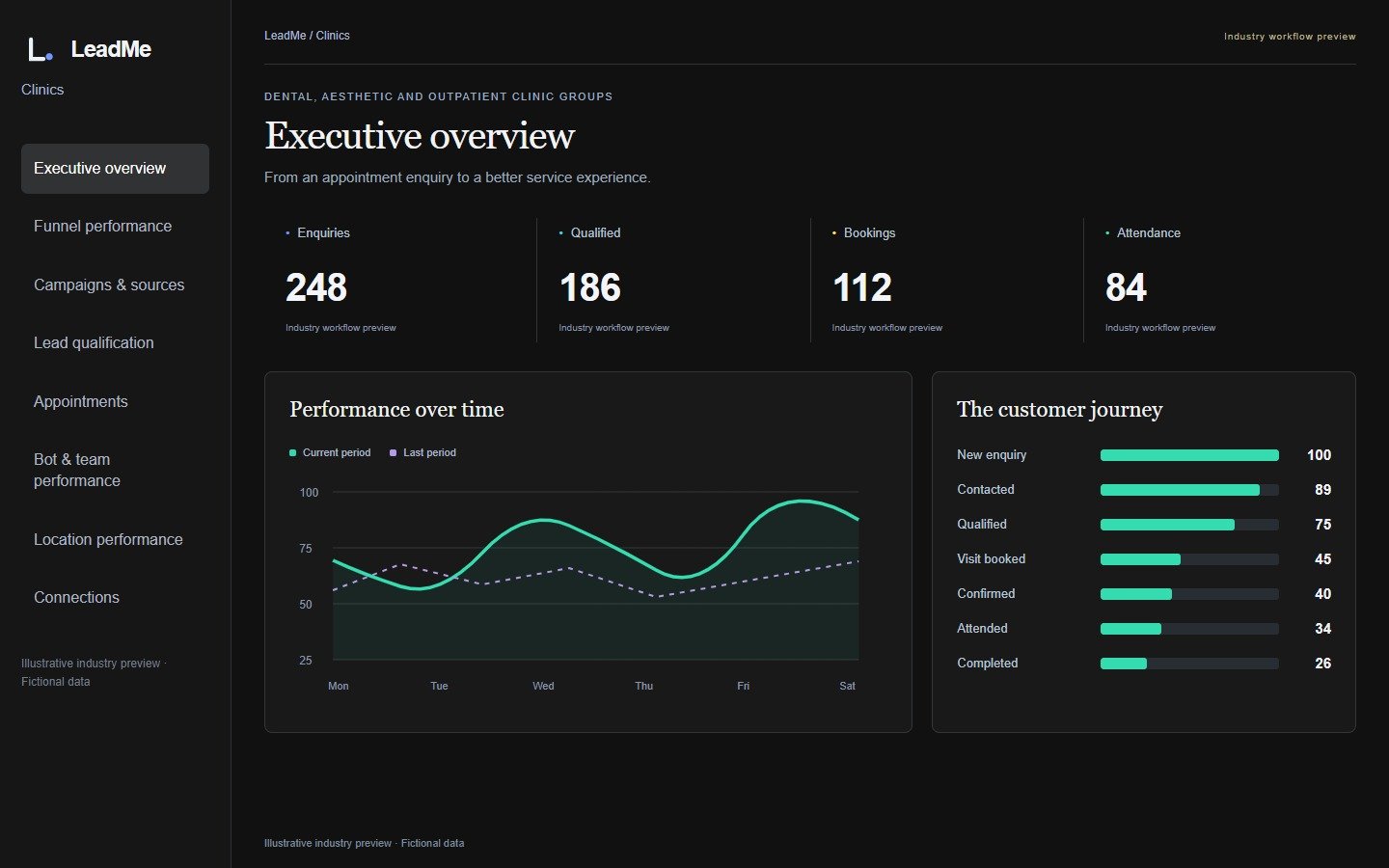
Illustrative operating examples, not client results or a promised return.
A person contacts a clinic after hours to ask about a consultation. Record the administrative request, preferred clinic and suitable callback or appointment times. Approved information can answer questions about location and booking, while suitability or treatment questions go to a qualified clinician. Reception confirms the appointment through the clinic's agreed process and records attendance or a request to rearrange.
Dental and multi-site clinics can assign incoming enquiries while reception staff are serving patients. Follow-up should respect the person's contact choices. The workflow concerns administrative access to an appointment; it does not assess symptoms, diagnose, recommend treatment or promise a clinical result.
Keep the source and customer needs together so the next colleague can continue the conversation without starting again.
Assign a responsible colleague, agree the follow-up and confirm availability before committing to an appointment. Connected calendars and messaging are configured for the agreed rollout.
Record attendance and the eventual decision. Separate enquiries, requests and confirmed outcomes so management can see where opportunities stop progressing.
Administrative enquiry; preferred clinic; contact preference; requested appointment; assigned receptionist
Reception or appointment coordinator; clinical questions go to a licensed professional
Enquiry response, appointment requests, confirmations, attendance and rearranged visits
Start with your own baseline and compare like-for-like periods after rollout. Use confirmed activity and outcomes to assess performance; illustrative examples are not guaranteed results.
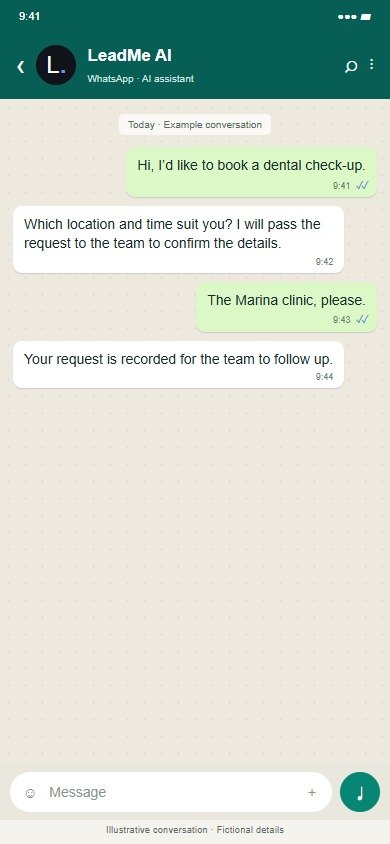
Illustrative conversation with fictional details; wording and connections are agreed before rollout.
The shared product workspace below uses fictional automotive demo data; the industry-specific examples are explained above.
Inside LeadMe · 8 workspace tabs
Select a tab for a closer look at its purpose, the work it supports and the actual interface. Click any screenshot to enlarge it.
Actual product screens · Illustrative Demo data. Available views depend on the user’s role.
CVM does not diagnose, prescribe or recommend treatment. No unsolicited healthcare promotions, treatment guarantees or patient testimonials are part of this example. Do not send diagnoses, medical records or sensitive patient information through WhatsApp or the public demo. A licensed clinic must approve its wording, consent process, access controls, hosting and data flows before use, and obtain any required DHA or other authority approvals. CVM is not presented as DHA-approved or a certified health-record system.
Start with one agreed journey, its responsible team, data sources, permissions and follow-up targets. Calendar, CRM and operational-system connections, and WhatsApp or voice channels, are scoped before live use. The public demo is for exploration with fictional data.
Pro $299/month or Managed $599/month per location, subject to a suitability and data-handling review.
 LeadMe
 SurveyMe
 CaseMe
The Pro suite is $299/month per location, compared with $377 for the three individual products — about 21% less.
LeadMe: $179 per location/month as a single product with applicable Pro features.