Capture the context
Keep the source and customer needs together so the next colleague can continue the conversation without starting again.
Industry solutions
Explore how the three CX Suite products — LeadMe, SurveyMe and CaseMe — support this industry, with use cases, workflows, responsibilities and measures.
Explore all three products ↓
Illustrative operating examples, not client results or a promised return.
A developer receives enquiries from a campaign for a new project. Capture the budget range, purchase timeframe, preferred unit type and whether the person is buying to live or invest. A sales advisor receives an assigned lead with its source and a viewing or gallery-visit request. Attendance and the next decision are recorded so the campaign can be assessed beyond enquiry volume.
Property managers can use a leasing enquiry path for move-in timing, preferred building and viewing availability. Assign each request to the relevant leasing team. Unit availability, commercial terms and commitments still require an approved source or advisor confirmation.
Explore LeadMe in detailKeep the source and customer needs together so the next colleague can continue the conversation without starting again.
Assign a responsible colleague, agree the follow-up and confirm availability before committing to an appointment. Connected calendars and messaging are configured for the agreed rollout.
Record attendance and the eventual decision. Separate enquiries, requests and confirmed outcomes so management can see where opportunities stop progressing.
Project or building; budget; unit type; purchase or lease; timeframe; source; viewing preference
Project sales advisor or building leasing team
Qualified enquiries, viewing requests, attendance, follow-up and recorded sales or leasing outcomes by source
Start with your own baseline and compare like-for-like periods after rollout. Use confirmed activity and outcomes to assess performance; illustrative examples are not guaranteed results.
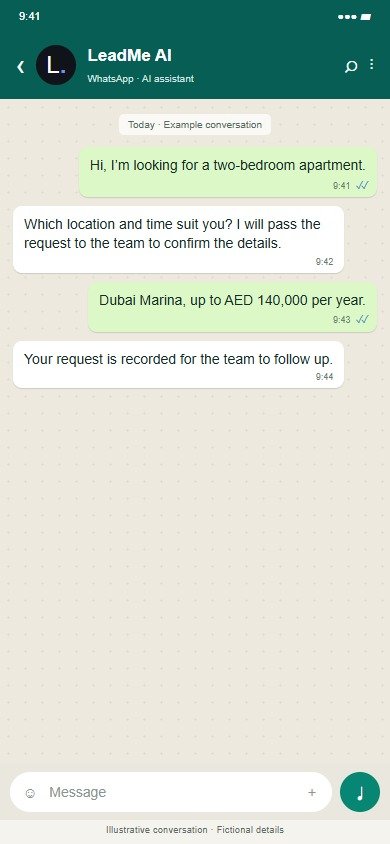
Illustrative conversation with fictional details; wording and connections are agreed before rollout.
Illustrative operating examples, not client results or a promised return.
A developer invites owners to comment after handover, then at agreed follow-up milestones. Questions separate the handover process, communication and unresolved service concerns. Management compares projects or towers with the comments behind the scores, rather than relying only on the number of units handed over.
For property and facilities management, a short survey after a maintenance order is marked complete asks whether the resident agrees that the job is finished. Building-level themes can support a landlord review and identify a contractor or job category that repeatedly needs another visit.
Explore SurveyMe in detailAgree the contact permission, event and timing for the invitation. Use a consistent question set for each journey and avoid mixing unrelated experiences in one score.
Review scores with response volumes and the comments behind them. Compare equivalent branches, stages and periods, then identify themes that the team can act on.
Agree which feedback needs a callback and who owns it. Where a CaseMe connection is configured, keep the response and service-recovery outcome linked to the concern.
Project or building; handover or maintenance stage; completed visit reference; ratings; resident comment
Customer care, community management or facilities quality lead
Handover satisfaction, post-maintenance satisfaction, participation and recurring themes by building or contractor category
Start with your own baseline and compare like-for-like periods after rollout. Use confirmed activity and outcomes to assess performance; illustrative examples are not guaranteed results.
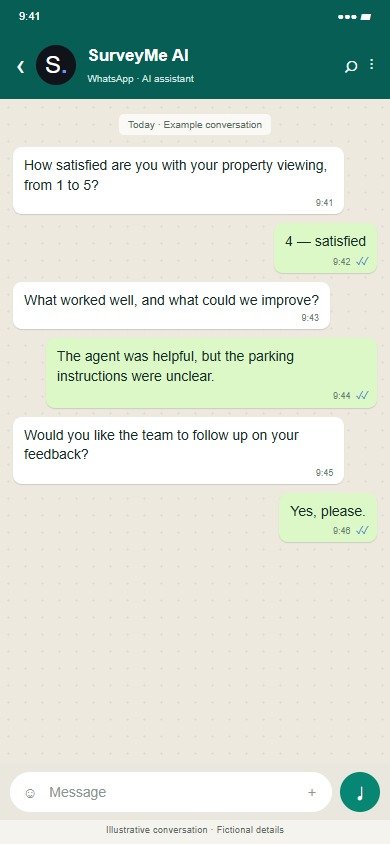
Illustrative conversation with fictional details; wording and connections are agreed before rollout.
Illustrative operating examples, not client results or a promised return.
An owner reports unfinished joinery after handover. Customer care records the project and existing job reference, assigns responsibility and sets the next update date. Contractor coordination, another inspection and resident confirmation are tracked as follow-up actions. The case records what was resolved and what remains outstanding.
A low post-maintenance score can prompt a building supervisor to review a supposedly closed job. CaseMe provides the customer follow-up record alongside the existing maintenance or snagging system. It does not replace technical inspection, the work-order system or contractual decisions about liability.
Explore CaseMe in detailCapture the service issue and relevant reference, then categorise it so it reaches the right team. Use approved systems for sensitive supporting records.
Set a named owner, next action and due date. Define who reviews overdue work and how escalation should operate for this service, rather than leaving responsibility in a shared inbox.
Record what was done, the customer update and any remaining follow-up. Review repeat causes and case age so the team can improve the underlying service as well as respond to individuals.
Building or project; unit reference; issue category; linked job; owner; contractor action; follow-up; outcome
Customer care manager or building supervisor, coordinating the relevant contractor
Case age, overdue updates, repeat visits, resolution time and recurring building or contractor-related issues
Start with your own baseline and compare like-for-like periods after rollout. Use confirmed activity and outcomes to assess performance; illustrative examples are not guaranteed results.
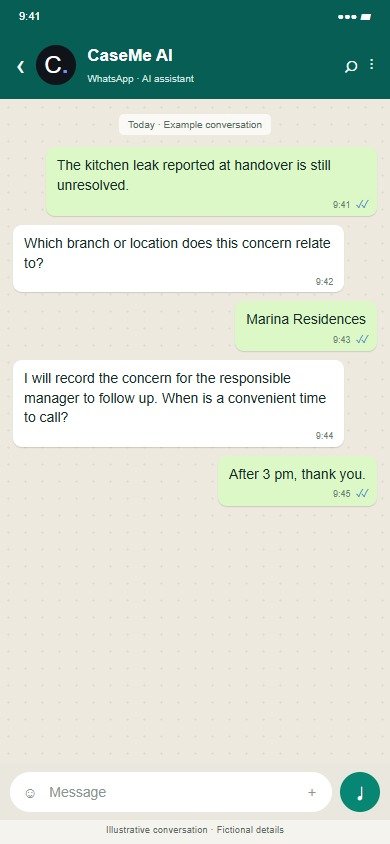
Illustrative conversation with fictional details; wording and connections are agreed before rollout.
Start with one agreed journey, its responsible team, data sources, permissions and follow-up targets. Calendar, CRM and operational-system connections, and WhatsApp or voice channels, are scoped before live use. The public demo is for exploration with fictional data.
Property management: $500/month + $0.15/unit. Developers: $1,000/month + $500/project in handover.