Record the concern
Capture the service issue and relevant reference, then categorise it so it reaches the right team. Use approved systems for sensitive supporting records.
Nurseries & Education · CaseMe
A settling-in concern goes to the branch manager with a follow-up time and an agreed action.
$79 / month per location
Explore the industry use cases ↓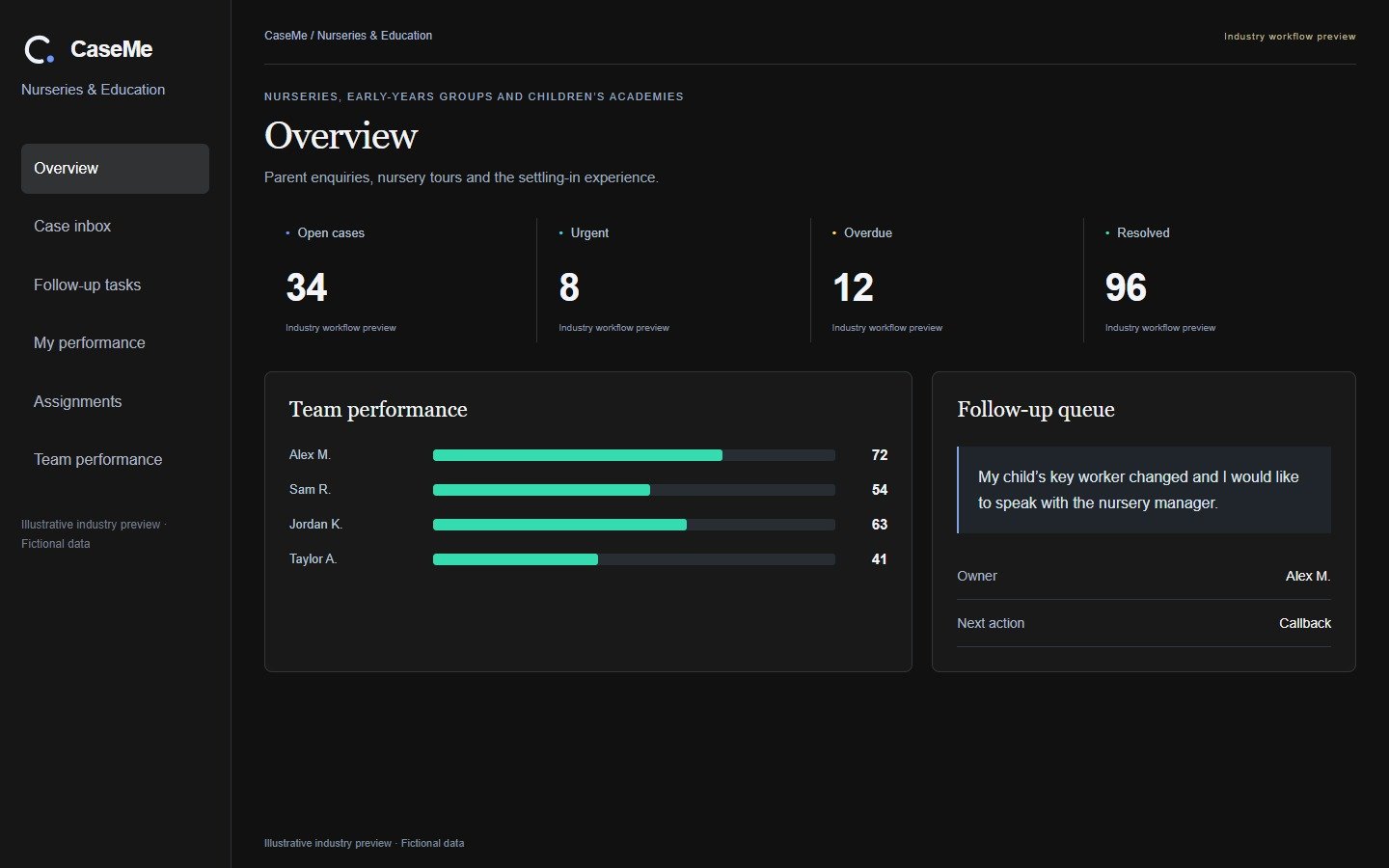
Illustrative operating examples, not client results or a promised return.
A parent reports that a change of key worker has unsettled their child and asks to speak to the nursery. The branch manager owns the concern, arranges a private call and records the agreed action and follow-up date. The next conversation confirms whether the parent is satisfied with the response. Managers can see unresolved concerns without searching personal message threads.
For an academy, a cancelled session or timetable dispute can be assigned to the venue manager with a replacement-session action. Routine service concerns belong in this workflow; safeguarding or urgent welfare matters must follow the organisation's established specialist procedures immediately.
Capture the service issue and relevant reference, then categorise it so it reaches the right team. Use approved systems for sensitive supporting records.
Set a named owner, next action and due date. Define who reviews overdue work and how escalation should operate for this service, rather than leaving responsibility in a shared inbox.
Record what was done, the customer update and any remaining follow-up. Review repeat causes and case age so the team can improve the underlying service as well as respond to individuals.
Parent contact; branch; service concern; owner; agreed action; follow-up date; outcome
Branch manager, with escalation to the designated group lead
Outstanding concerns, overdue callbacks, response and resolution times, repeated themes and completed follow-ups
Start with your own baseline and compare like-for-like periods after rollout. Use confirmed activity and outcomes to assess performance; illustrative examples are not guaranteed results.
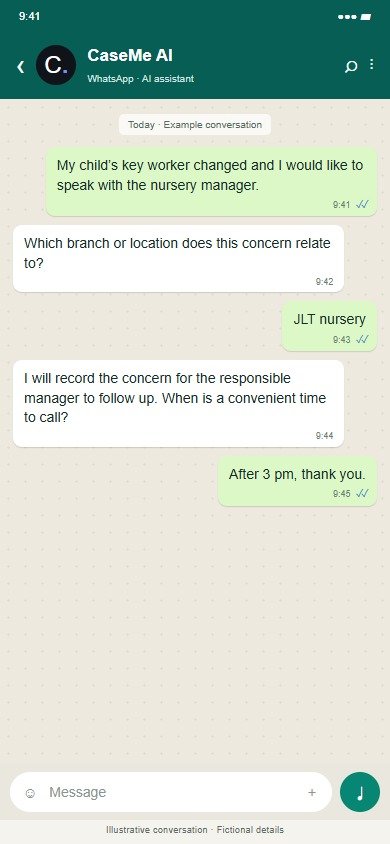
Illustrative conversation with fictional details; wording and connections are agreed before rollout.
The shared product workspace below uses fictional automotive demo data; the industry-specific examples are explained above.
Inside CaseMe · 6 workspace tabs
Select a tab for a closer look at its purpose, the work it supports and the actual interface. Click any screenshot to enlarge it.
Actual product screens · Illustrative Demo data. Available views depend on the user’s role. Overview, Assignments and Team performance show manager views; personal tabs show work assigned to the signed-in user.
Start with one agreed journey, its responsible team, data sources, permissions and follow-up targets. Calendar, CRM and operational-system connections, and WhatsApp or voice channels, are scoped before live use. The public demo is for exploration with fictional data.
Essential for a single academy; Pro or group pricing for nurseries and multi-site education.
 LeadMe
 SurveyMe
 CaseMe
The Pro suite is $299/month per location, compared with $377 for the three individual products — about 21% less.
CaseMe: $79 per location/month as a single product with applicable Pro features.